This is a real engagement with Marketing Automation case study. The client is a medical aesthetics practice — 2 providers, 6 staff, generating leads via Google Ads. The problem: leads were coming in and dying. A contact form submission hit a Gmail inbox. Someone checked it when they had time. Follow-up happened in hours or days. Conversion rate on leads: under 10%.
Here’s exactly what we built and what changed.
This is part of the AI Marketing Automation for SMBs: The Complete System series.
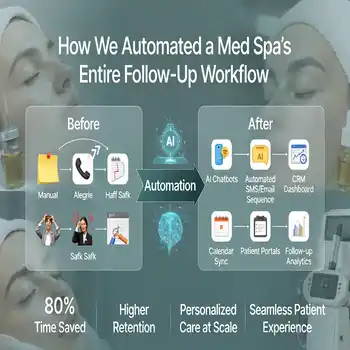
Table of Contents
The Situation Before Automation
The practice was running a $3,000/month Google Ads campaign. Leads came in via a contact form at roughly 40–50/month. Follow-up process: form submission → email notification → someone responded when available → called or emailed the lead → tried to book a consultation.
Average response time: 4–6 hours. Conversion rate: 8%. Monthly consultations booked from ads: 3–4. Revenue per consultation: ~$800 average. Ad spend ROI: barely positive.
The ads were working. The follow-up system wasn’t. So let’s check marketing Automation case study.
What We Built
Phase 1 — Lead Capture Overhaul
The contact form was replaced with a Fluent Form connected directly to FluentCRM. Every submission automatically created a contact record, applied source tags (Google-Ads, service interest, city), and triggered the first automation within 60 seconds.
Phase 2 — Immediate Response Sequence
Within 60 seconds of form submission:
- Lead received a confirmation email with a direct calendar link to book a consultation
- The practice received an internal notification with the lead’s full details
- FluentCRM tagged the contact “New-Lead-Ads” and started the nurture sequence
The calendar link was the key change. Instead of a call-back promise, the lead could book themselves immediately — at 11pm if they wanted. Self-booking removed the response time problem entirely.
Phase 3 — 5-Email Nurture Sequence
For leads who didn’t self-book immediately:
- Email 1 (Day 0, immediate): Confirmation + calendar link + what to expect
- Email 2 (Day 1): “3 questions to ask before your first consultation” — trust builder
- Email 3 (Day 3): Treatment spotlight (Botox — highest search volume, most common first treatment)
- Email 4 (Day 5): Patient result story (anonymized) + social proof
- Email 5 (Day 8): Direct ask — limited consultation slots this month, here’s the link
Phase 4 — Hot Lead Trigger
Any lead who opened 3+ emails OR clicked the calendar link without booking was tagged “Hot” and triggered a personal outreach task: staff member calls within 2 hours. Hot leads get human attention. Cold leads stay in the sequence.
Phase 5 — Weekly Reporting
Automated weekly report delivered every Monday: leads captured, emails sent, open rates, consultations booked, conversion rate. No manual data pulling. The report assembled and sent itself.
Results at 60 Days
- Average response time: 60 seconds (down from 4–6 hours)
- Lead-to-consultation conversion rate: 13.4% (up from 8%)
- Monthly consultations booked from same ad spend: 5–7 (up from 3–4)
- Staff time on lead follow-up: 20 min/week (down from 4+ hours)
- Ad spend ROI: positive and improving as the sequence accumulates lead history
The ads didn’t change. The budget didn’t change. The difference was a follow-up system that didn’t depend on someone remembering to check Gmail.
What This Cost to Build
Setup: 12 hours of build time across form integration, CRM configuration, sequence writing, and testing. Tools: FluentCRM (already installed), Fluent Forms (already installed), Brevo for email delivery. Monthly ongoing: 2 hours/month for optimization and reporting review.
One additional booked consultation per month at $800 average covered the entire monthly retainer cost.
What’s Next for This Client
Phase 2 builds campaign automation — CRM data feeding back into Google Ads to create lookalike audiences from actual converted patients. And an AI content workflow publishing 2 treatment posts/month to the practice website via MCP. Both in progress.
From Marketing Automation case study Links
Want this built for your practice or business? Book a free Automation Audit →
For marketing automation case study you can see our AI News Blog->